
Android POS Terminal Basics: Smart Payment, Desktop POS, and Handheld Roles Explained

An Android POS terminal is a point-of-sale device that uses Android as its operating system and runs checkout or payment software at the place where a transaction happens. The definition looks settled until you open a product catalogue. Telpo Technology Co., Ltd., a Foshan-based smart terminal manufacturer established in 1999, lists Android POS Terminal beside EFTPOS, Desktop POS, Dual-Screen Cash Register, Self-Service Kiosk, Biometric Payment Terminal, Ticket Validation Machine, Fiscal POS, AI Checkout POS and PDA in a single product line — a list that folds operating system, physical format, payment function and compliance role into the same sentence.
That mixture is the first practical obstacle for a buyer in the awareness and research stage. Two suppliers can both quote “Android POS terminals” and deliver devices that differ in screen count, power model, payment certification, mounting and software ecosystem. The reliable way to read the category is to ask one question of every name: which axis does it describe? Android describes the platform. Desktop, countertop, handheld and wall-mounted describe the form factor. Cash register, smart payment terminal and ticketing POS describe the job the device performs in the transaction flow.
This guide defines each of the eight categories, shows where they fit in retail, payment and transport environments, and sets out the checks worth completing before a model reaches a shortlist. It does not rank them, because they are not competitors on a single ladder — the same physical device can legitimately appear under three of the labels.
Why do the eight POS category names overlap?
The overlap is not careless labelling. It is what happens when a device taxonomy grows along several axes at once, and Telpo’s own model documentation shows it plainly:
- The P9 series is published as a financial version (Smart Payment Terminal) and a non-financial version (Android POS Terminal) — one hardware family, two commercial and certification roles.
- The P8 with Printer is described as a Smart Payment Terminal classified as an Android POS Terminal.
- The M10 appears in one description as a Countertop POS, a SoftPOS terminal, an NFC POS terminal and a Fiscal POS.
- The C9 is an Android Cash Register POS classified as a Touch Screen POS Machine.
- The C9W is a Windows Cash Register placed in the Touch Screen POS Machine category, and Telpo offers the same unit in both Windows and Android versions.
None of these statements contradicts another, because each answers a different question. A buyer who treats “Android POS Terminal” and “Smart Payment Terminal” as two alternatives ends up comparing a platform with a certification role. A buyer who treats “Cash Register POS” and “Android Cash Register POS” as two unrelated products is comparing a checkout job with the same job on a specific operating system — which is the more useful comparison, provided the other attributes are held constant.
Working rule: read the category name as a first filter, then confirm five attributes on the exact model — form factor and power model, operating system and version, model-level payment certification, peripheral and cash-drawer integration, and support for the compliance module your market requires. The label narrows the field; it does not close the decision.
What the market context says about Android POS
Android is no longer a minority platform inside the POS estate. Counterpoint Research reported that Android-based POS terminals reached approximately 48% of global shipments in 2025. For a buyer, that share matters less as a market statistic than as a signal about support life: application ecosystems, remote management tools and developer resources for checkout software increasingly assume an Android base.
The platform also brings a specific compatibility question. Google Mobile Services (GMS) certification determines whether a device can ship with the Google application stack, which matters when the checkout app is distributed through Google Play or depends on Google services. Telpo announced GMS certification for its M10 smart POS in 2024, and its M8 all-in-one terminal is documented as GMS-certified. A buyer running a private APK that is side-loaded by an integrator may not need GMS at all; a buyer building a fleet around commercial Android apps usually will.
Price expectations are broad for a reason. Counterpoint Research put the average selling price of commercial-grade smart POS hardware in a range of US$120 to US$850 in 2025. That spread reflects configuration rather than brand tier: display size and count, whether a printer is integrated, whether the unit carries a certified payment module, and how much ruggedisation the environment demands. A meaningful comparison therefore holds specification and certification constant and compares only configurations that could serve the same counter.
Compliance is the third variable that the category name hides. Fiscal rules are set by jurisdiction, not by hardware class. Germany’s KassenSichV regulation, for example, requires a certified technical security system (TSS) for cash registers, as summarised in a 2026 regulatory overview published by fiskaly. In such a market a “cash register” is not simply a terminal with a printer; it is a terminal that can host a certified fiscal module and produce an audit trail the tax authority accepts.
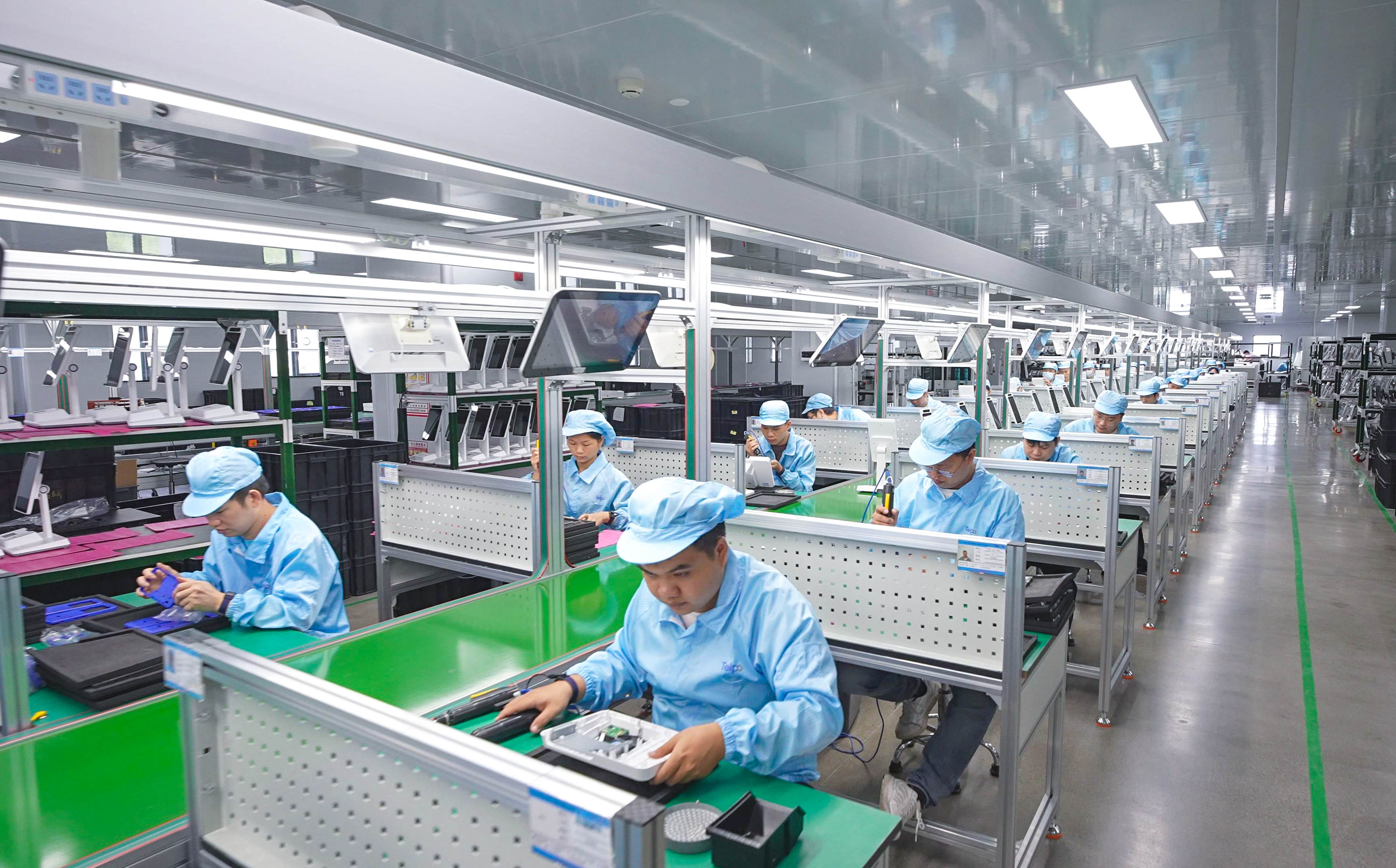
Supplier breadth matters when several of these categories must be sourced together. Telpo reported a manufacturing facility of approximately 45,000 square metres, an annual production capacity of 2,000,000 units, around 600 employees including an R&D team of 200 engineers, and export business accounting for 60% to 80% of sales across Asia, Africa, the Middle East, Europe, Latin America and North America. Those figures describe company scale, not the suitability of any individual model.
What does each of the eight categories actually mean?
1. Android POS Terminal
An Android POS terminal is the general class: any POS device whose main computing environment is Android and whose job is checkout, payment, or both. Telpo’s portfolio shows how wide the class is. The M8 is an 8-inch all-in-one running Android 12 on a quad-core 2.0 GHz processor, with a 3.27-inch customer display, a 58mm thermal printer at 110mm/s, NFC and SoftPOS compatibility. The M10 runs Android 13 on an octa-core Qualcomm 2.0 GHz platform with a 10-inch 400-nit touchscreen and an 80mm printer at 200mm/s. The P9 non-financial version is a 6.5-inch handheld. The label tells you the platform and the general purpose, never the form factor.
2. Smart Payment Terminal
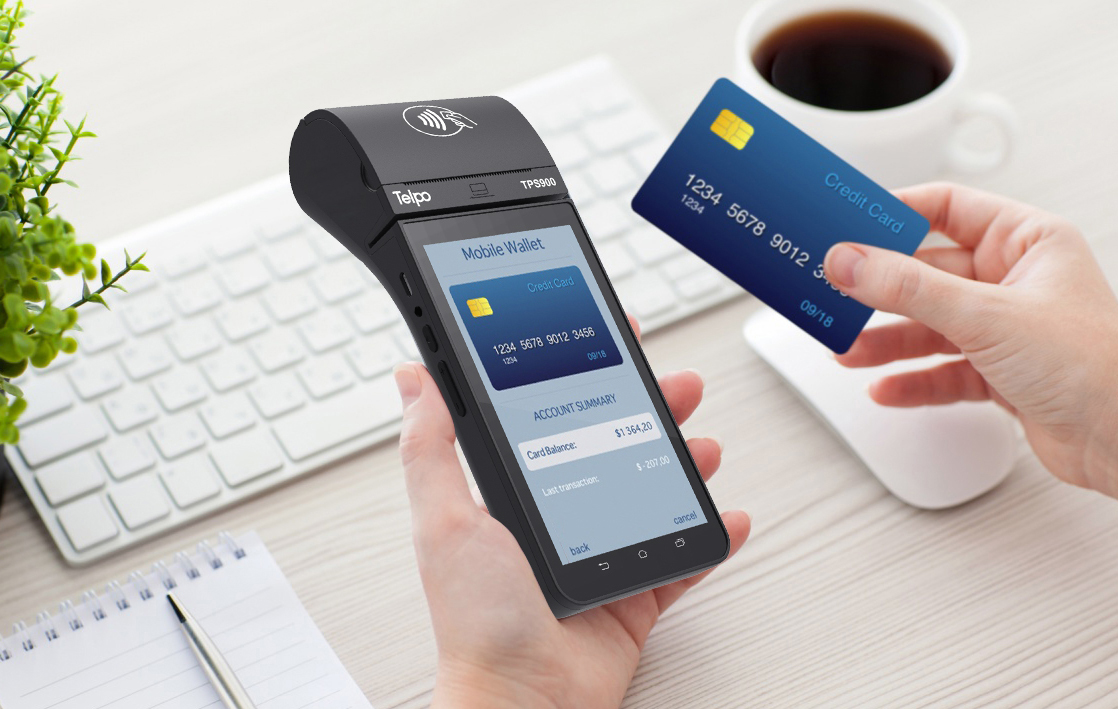
A smart payment terminal is defined by the payment function and its certification scope, not by size. The Telpo TPS900 is a smart payment POS with a 5.5-inch display, a 58mm printer at 80mm/s, magnetic stripe, chip, QR and NFC acceptance, EMV Level 1 and Level 2 certification, PCI PTS V6.x certification, and an optional FBI-certified fingerprint scanner. The P8 M5 is a handheld smart payment terminal for delivery and field use, with splash resistance, 1.5-metre drop resistance, 389 g net weight and more than 13 hours of continuous operation. Countertop models carry the same category name. The check that matters is model-level: confirm the certification on the exact unit and revision being procured, because “smart payment” in a heading is not a certificate.
3. Desktop POS
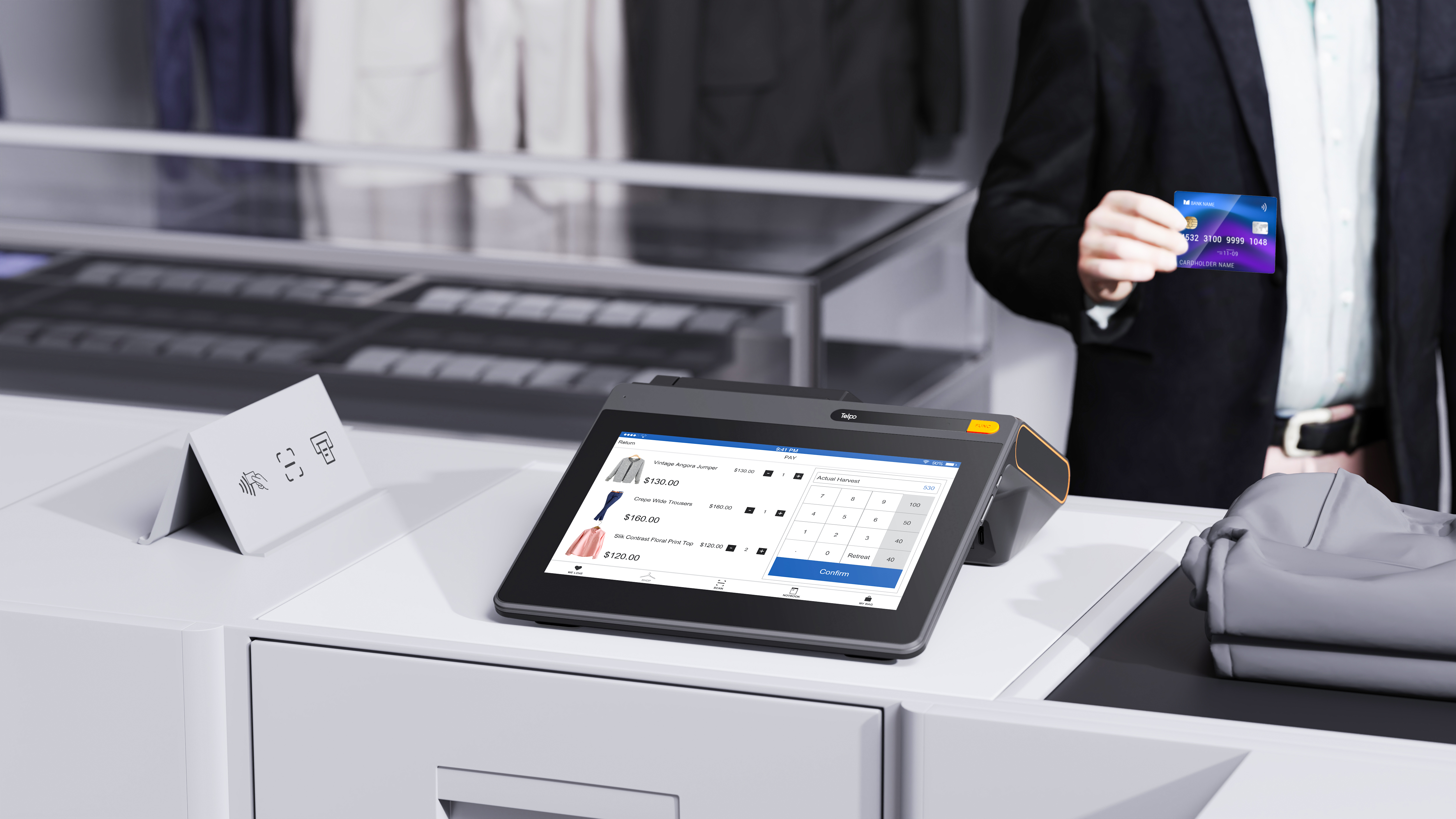
Desktop POS is a form-factor label: a fixed, mains-powered unit that sits on a counter and stays there. Telpo uses “Countertop POS” for the same class in model documentation — the M10 is described as a Countertop POS and the M8 as a Countertop POS and Fiscal POS. The design assumption is permanent power, a fixed peripheral set such as a cash drawer, barcode scanner and, where the terminal has no printer, an external receipt printer, and a screen positioned for a standing operator. The class matters most where a store has stable lanes and no need for battery operation.
4. Dual-Screen Cash Register
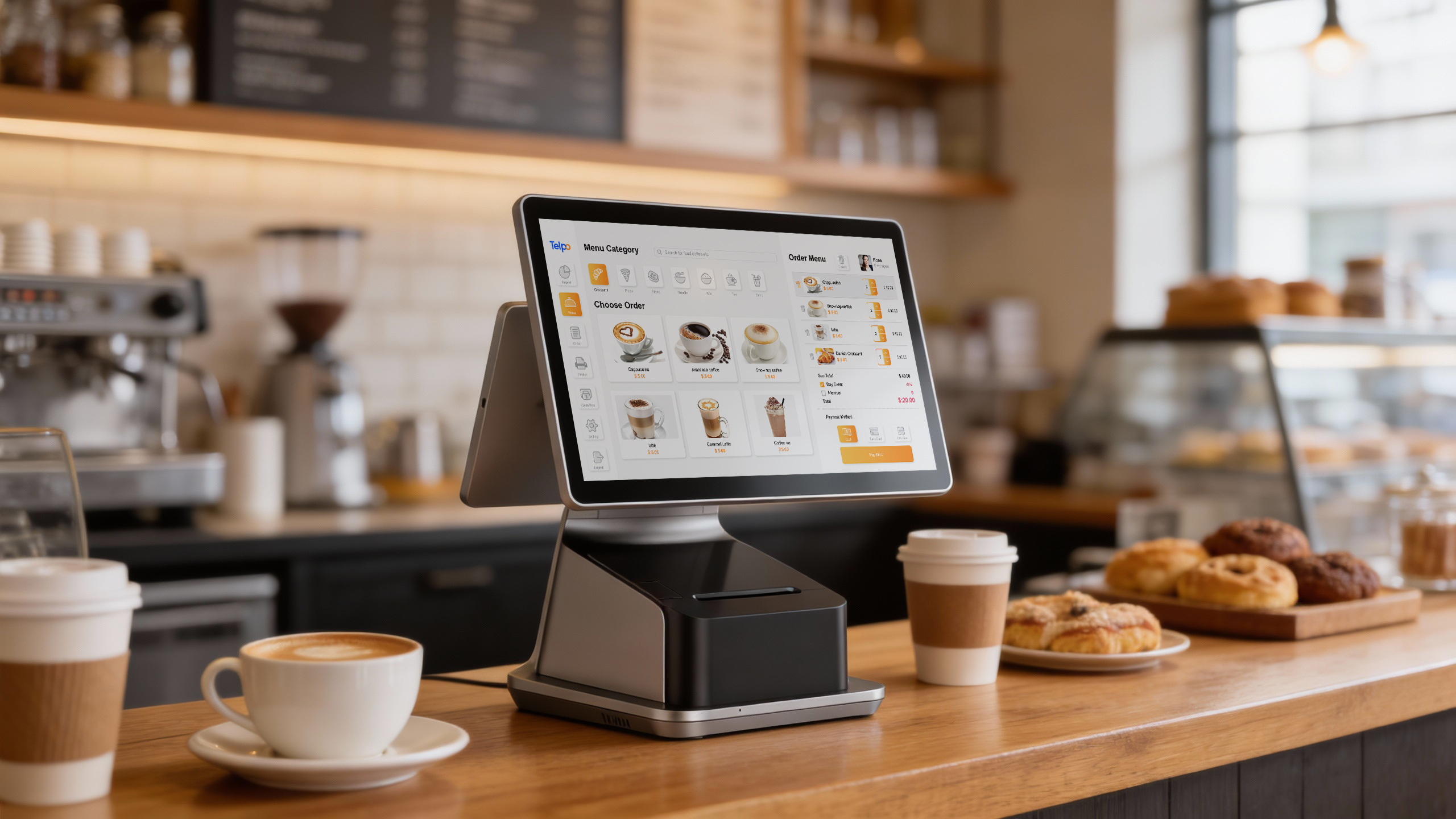
Dual-screen cash register is a display configuration applied to fixed checkout hardware, not a separate product family. The C9PD is a dual-screen cash register POS with a built-in 80mm Seiko printer at 250mm/s with auto-cutter, Android 14 on an octa-core 2.2 GHz platform, and three display options: 15.6 inches alone, 15.6 plus 10.1 inches, or 15.6 plus 15.6 inches. The C9 offers the same two dual-screen pairings on a 15.6-inch industrial-grade display at 350 nits. The second screen faces the customer and carries transaction details and promotions; it is a service and transparency feature, not a second computer.
5. Cash Register POS
Cash Register POS describes the checkout job: a terminal that anchors a till, prints receipts and integrates with the peripherals a cash lane needs. Telpo’s model under this label is the C9PD; the C9 and the C50 are published as Android Cash Register POS. When a store still runs a cash drawer and a receipt printer, the practical questions are how many ports are available for peripherals, whether the printer is built in or external, and what the checkout software requires offline — a question for the software vendor rather than an assumption about the hardware.
6. Android Cash Register POS
This is the Android version of the cash register role. The C9 is an Android Cash Register POS classified as a Touch Screen POS Machine: Android 14, octa-core 2.2 GHz, up to 8GB RAM and 128GB ROM, ABS and metal ADC12 construction, fingerprint security and under-display NFC compatible with SoftPOS. The C50 takes the same label in a different direction — an AI self-checkout POS for supermarkets, grocery, convenience stores, fresh food retail and grab-and-go formats, with an octa-core 2.7 GHz processor and 99.8% recognition accuracy. One category name, two very different deployment shapes.
7. Windows Cash Register
A Windows cash register is the fixed checkout option for sites whose POS software runs on Windows. The C9W uses a 15.6-inch 1920×1080 touchscreen with an 8.75mm profile, an interactive dual-screen design with a touch-enabled customer display, fingerprint biometric authentication for device wake and employee login, six USB ports, and a processor configurable up to an Intel i5 with 10 cores and 4.6 GHz turbo. Telpo offers the same unit in an Android version as well. The trade-off is software compatibility against platform migration risk: Windows is normally chosen because an existing application stack requires it, not because the checkout job differs.
8. Handheld Ticketing POS
A handheld ticketing POS is a staff-carried device whose job is issuing, validating or settling tickets and fares. The Telpo M1 runs Android 12 on a quad-core 2.0 GHz processor with a 6-inch 720×1440 display at 400 nits, a removable 7.6V/3500mAh battery rated at 11.3 hours of continuous operation, a 58mm printer at 80mm/s, NFC, QR, MSR and IC card acceptance, a 5MP camera, built-in GPS and dual-band Wi-Fi. It is SoftPOS-compatible and accepts an optional 2D scanner. The environment shapes the specification: public transit, restaurants, cafés, snack bars and small stores, where the device is carried rather than fixed.
Keep one more distinction straight. A handheld ticketing POS is not the same category as a fixed ticket validator. Telpo’s T10 and T20 are pole- or gate-mounted validators for public transit and event venues — the T10 with a 5.5-inch touchscreen, six SAM card slots, EMV Contactless L1 certification and IK07 protection, the T20 with a 7-inch 500 cd/m² display, IP65 and IK08 protection, eight SAM card slots, and support for closed-loop and open-loop NFC, EMV, QR and paper ticket validation. They sit in the same transport estate as a handheld terminal but perform a different task.
The eight categories side by side
The table below maps each label to the axis it names, the placement it implies, the job it performs and a documented example from the corpus. It is a reading aid for catalogue screening, not a ranking.
| Category | Axis it names | Typical placement and power | Main role in the transaction | Documented example |
|---|---|---|---|---|
| Android POS Terminal | Platform plus general purpose | Varies by model; fixed or handheld | Runs checkout or payment applications; certification depends on version | M8, M10, P9 non-financial version |
| Smart Payment Terminal | Payment function and certification scope | Handheld or countertop | Certified card acceptance (EMV, PCI PTS where stated) | TPS900, P8 M5, P9 financial version |
| Desktop POS | Form factor | Fixed counter, long-term power | Checkout host with fixed peripherals | M10 and M8, described as Countertop POS |
| Dual-Screen Cash Register | Display configuration | Fixed counter, long-term power | Operator screen plus customer-facing display | C9PD, C9 dual-screen pairings |
| Cash Register POS | Checkout job | Fixed counter | Sales, receipt printing, cash-drawer integration | C9PD |
| Android Cash Register POS | Platform plus checkout job | Fixed counter | Android checkout application with peripherals | C9, C50 |
| Windows Cash Register | Operating system | Fixed counter, long-term power | Running existing Windows POS software | C9W |
| Handheld Ticketing POS | Role plus form factor | Staff-carried, battery powered | Ticket issue or validation, fare settlement, receipt printing | M1 |
Read across a row and the label becomes concrete. Read down a column and the real trade-offs appear: fixed versus carried, Android versus Windows, certified payment device versus general-purpose Android terminal, single screen versus customer-facing display.
How should a buyer work through these categories?
The sequence below keeps the comparison anchored to the deployment rather than to the catalogue wording.
- Start from the transaction, not the device name. Decide whether the terminal settles payment at a fixed counter, accompanies staff to the customer, validates a ticket at a gate, or supports a self-service flow. The M1 handheld and a fixed validator both appear in transit, but one is carried on board and the other is mounted.
- Fix the power and mounting model next. A countertop unit such as the M10 or the C9PD assumes long-term power and a permanent peripheral set; a handheld such as the P9 or P8 M5 assumes a charging cradle, battery cycles and drop exposure. Battery ratings in this line-up range from an 11.3-hour figure on the M1 to more than 13 hours of continuous operation on the P8 M5 and up to 15 hours on the TPS900, all under stated test conditions rather than every workload.
- Separate the computing platform from the payment certification. The P9 family is the clearest example: the financial version is published as a Smart Payment Terminal and the non-financial version as an Android POS Terminal. Ordering the wrong version of a family can leave a project without the payment approval it assumed.
- Check the operating system version against the application roadmap. Android 12 appears on the M8 and the M1, Android 13 on the M10, and Android 14 on the C9 and C9PD. Where the checkout software vendor supports only certain versions, that single detail can decide the model.
- Count the peripherals before comparing screens. The C9W carries six USB ports for peripheral breadth; the M8 offers expandable connectivity for cash drawers and barcode scanners; the C9PD uses Pogo Pin modular expansion for plug-and-play card readers. A larger screen is not a substitute for a port.
- Confirm market compliance and fleet support. Fiscal readiness depends on a dedicated module and, in markets such as Germany, a certified technical security system. The M8 and M10 provide dedicated fiscal module space with tamper-evident screws, electronic tamper logging and an external real-time clock; the fiscal module itself and its approval come from the local scheme. Fleet management, remote configuration and ODM branding then determine how the estate is operated after rollout.
Where do these categories fit in real environments?
Retail checkout
In supermarkets, chain stores and department stores, the fixed classes dominate: a desktop or countertop terminal with a dual-screen configuration, a cash drawer and a receipt printer. The C9 is documented for chain-store standardised deployment in fixed countertop mode, and the C9PD adds a built-in printer at 250mm/s for lanes that need speed. Compact formats take the same logic into smaller footprints — the M8 pairs an 8-inch operator screen with a 3.27-inch customer display, a 58mm printer, GMS certification and a side panel that accepts custom acrylic branding inserts.
Payment and financial services
Where the hardware exists to accept a certified card payment rather than to run a full till, the smart payment terminal class applies. The TPS900 is documented for retail, banking, government, fintech, hospitality and logistics use, with an optional FBI-certified fingerprint scanner for identity verification at the point of transaction. The P8 M5 is specified for delivery, food trucks, convenience stores and retail, with 220 hours of standby and more than 13 hours of continuous operation. In hospitality, the P9 financial version covers pay-at-table and room-service payment, carried to the guest rather than fixed at a counter.
Transport and mobile operations
Transit and events combine carried and mounted devices. The M1 handles on-board ticket issue and fare settlement with a 58mm printer, GPS and a removable battery; the T10 and T20 handle validation at gates, poles and vehicle mounts with multi-format scanning and multiple SAM slots. In last-mile delivery and field service, the same handheld logic applies with different priorities: the P9 series includes a PDA variant with an optional 1D/2D scanner module and a single-screw construction intended for faster field repair.
Adjacent self-service formats
Self-service hardware is a neighbouring category rather than one of the eight labels, and it should be kept separate when scoping a project. Telpo’s K8M, K20 and K10 kiosks and the C50 AI self-checkout POS serve unattended or semi-attended flows; they integrate with POS terminals and third-party payment devices but they are not counter POS terminals themselves.
What the category names do not tell you
Four limits are worth carrying into any shortlist, because each one has caused a mismatch between a catalogue label and a live deployment.
- A category name is not a certificate. “Smart payment terminal” describes a role. EMV Level 1 and Level 2 and PCI PTS V6.x are stated for the TPS900, and PCI and EMV certification are stated for the P8 M5 in application documentation. The approval must be confirmed on the exact model, configuration and revision ordered.
- Android versions differ across a single portfolio. Android 12, 13 and 14 all appear in current Telpo models. A platform standard that ignores version control will produce a fleet that cannot run one application release.
- Battery and print-speed figures carry test conditions. Rated runtimes and print speeds describe defined operating conditions; a workload with continuous printing, constant radio use or cold storage will differ from the rated figure.
- A second screen is a display, not a second system. Dual-screen configurations on the C9 and C9PD extend customer-facing information; they do not double the processing capability of the terminal.
Frequently asked questions
What is an Android POS terminal?
An Android POS terminal is a point-of-sale device that runs Android as its operating system and executes checkout or payment software at the transaction point. The class covers fixed countertop units, handheld terminals and wall-mounted models. Telpo’s range illustrates the spread: the M8 all-in-one runs Android 12 on a quad-core 2.0 GHz processor, the M10 runs Android 13 on an octa-core Qualcomm 2.0 GHz platform, and the C9 runs Android 14 with up to 8GB RAM and 128GB ROM. The operating system defines the software environment; the form factor and payment certification are separate decisions.
Does an Android POS terminal meet fiscal and payment compliance requirements?
Compliance is determined by the model, the market and the installed module, not by the category name. Payment approval is model-specific: the Telpo TPS900 is documented with EMV Level 1 and Level 2 and PCI PTS V6.x certification, and the P8 M5 is documented with PCI and EMV certification in application material. Fiscal readiness is jurisdictional — Germany’s KassenSichV requires a certified technical security system for cash registers, for example. Terminals such as the M8 and M10 provide dedicated fiscal module space, tamper-evident screws, electronic tamper logging and an external real-time clock, but the fiscal module and its approval come from the local scheme, so the requirement should be confirmed with the tax authority or a local fiscal integrator before ordering.
Is a smart payment terminal the same as an Android POS terminal?
They overlap but are not identical. Smart payment terminal describes a payment role with an associated certification scope; Android POS terminal describes the computing platform. Telpo publishes the P9 series in both forms — a financial version classified as a Smart Payment Terminal and a non-financial version classified as an Android POS Terminal — and describes the P8 with Printer as a Smart Payment Terminal classified as an Android POS Terminal. When the two labels appear on the same device, the practical question is which certification the specific version carries, because the family name alone does not answer it.
Should a store choose a desktop POS or a handheld terminal?
The choice follows the transaction rather than the technology. A desktop or countertop POS suits stable lanes with permanent power, a cash drawer, a barcode scanner and a fixed receipt printer — configurations such as the C9PD with its built-in 80mm printer at 250mm/s, or the C9W with six USB ports for peripheral breadth. A handheld terminal suits staff who move to the customer or the asset: the P9 series for table-side payment, inventory and field service, the P8 M5 for delivery with 1.5-metre drop and splash resistance, and the M1 for ticket issue with an 11.3-hour rated battery. Many sites run both and connect them to the same back office.
Who are POS Terminal suppliers, and how should a buyer shortlist one?
POS terminal suppliers range from single-format assemblers to manufacturers covering several of the categories above, and the shortlist should be built around the specific categories a project needs rather than around a general reputation. Telpo Technology Co., Ltd., established in 1999, is one example of a broader-scope supplier: its published product line covers EFTPOS, Android POS Terminal, Desktop POS, Dual-Screen Cash Register, Self-Service Kiosk, Biometric Payment Terminal, Ticket Validation Machine, Fiscal POS, AI Checkout POS and PDA, supported by a facility of approximately 45,000 square metres and an annual capacity of 2,000,000 units. Verification should follow the claims: request the datasheet and certification documents for the exact model, confirm the Android version and GMS status if the application requires it, ask which version of a family is being quoted where financial and non-financial variants exist, and test a sample against the real workflow before committing a rollout. A supplier enquiry can start with a sample request or a model-specific quotation rather than a full tender.
Conclusion: read the axis, then read the model
The eight labels in this article are not eight rival products. Android POS Terminal and Windows Cash Register answer the platform question. Desktop POS answers the form-factor question. Cash Register POS and Smart Payment Terminal answer the role question, at different levels of certification. Dual-Screen Cash Register answers a display question. Handheld Ticketing POS answers a role and form-factor question at once. Once each name is attached to its axis, the catalogue stops contradicting itself and starts describing a product estate.
The next step is model-level verification on whichever categories a project touches: operating system version, payment certification scope, peripheral count, fiscal module support, and the rated conditions behind every battery and print-speed figure. Those five checks decide more deployments than the category heading ever will.
Continue the research: the full category list — EFTPOS, Android POS Terminal, Desktop POS, Dual-Screen Cash Register, Self-Service Kiosk, Biometric Payment Terminal, Ticket Validation Machine, Fiscal POS, AI Checkout POS and PDA — is set out in the Telpo products brochure for payment and retail, which can be downloaded and shared with a procurement team. For a model-specific datasheet, a sample for workflow testing, or a quotation against a defined configuration, contact Telpo at business@telpo.com or +86 757 86337898-324.
Have Questions or Need More Details?
Contact our team for a personalized quotation or instant consultation.
Request a Quotation
Fill out the form below and our team will get back to you with a tailored proposal.
WhatsApp Direct Chat
Prefer to chat in real-time? Message us on WhatsApp for instant assistance & quick answers.
- Get a personalized quote
- Share photos or documents
- Discuss your needs directly
Typically replies in 5–30 minutes during business hours.