
High-Traffic Event Checkout: A Handheld POS Application Guide
High-traffic events compress ordering, payment, and fulfilment into short bursts. A food stall at a concert may serve hundreds of customers in a few hours; a merchandise stand at a festival may face the same queue pressure with different stock. The checkout point becomes the bottleneck when staff must move between a tablet for orders, a card terminal for payment, and a separate printer for receipts. This application guide explains how solution integrators and event merchants can design a more consolidated workflow around a handheld POS terminal, using the Telpo P9 deployment at the 2026 Singapore Grand Prix, held October 9-11, as a reference. It covers scenario-fit checks, workflow design, and on-site receipt printing considerations. The aim is not to claim that one device fits every event, but to show where a handheld Android POS terminal changes the operational trade-offs.
Telpo Technology Co., Ltd. is a manufacturer of AI-driven smart terminals founded in 1999 and headquartered in Foshan, China. The company supplies Android POS terminals, payment terminals, self-service kiosks, ticket validators, biometric devices, and related smart terminal hardware. For an event deployment, the relevant question is not simply which device has the longest specification sheet. It is whether the terminal can support the event's transaction mix, staff movement, power constraints, connectivity conditions, and receipt requirements without adding avoidable steps to each sale.
Why high-traffic event checkout fails before the payment step
Temporary checkout environments are different from fixed retail counters. Power may come from a temporary distribution board. Network coverage may vary between gates, stands, and indoor halls. Staff may be seasonal workers who need a short learning curve. Customers may arrive in waves, with long idle periods followed by intense demand. A checkout design that works in a permanent store can become fragile when those conditions change.
The first failure point is often workflow fragmentation. If ordering happens on one device, payment on another, and receipt printing on a third, every transaction adds handoffs. Staff must confirm the order, switch devices, wait for payment approval, then move to the printer. At peak times, each handoff creates a queue. The second failure point is power planning. A device that lasts a full shift in a café may not last through an outdoor event with continuous printing and intermittent network search. The third is receipt handling. A receipt that is too long slows the queue; a receipt that is too short may miss the order number or payment reference the customer needs.
These issues are operational before they are technical. The useful question is where the device reduces movement, waiting, and device switching. That is the context in which a handheld POS terminal with integrated payment and printing becomes relevant.
Industry background: Android POS and mobile checkout in temporary venues
Android-based terminals have become a practical option for event and mobile checkout because they combine a touchscreen interface, wireless connectivity, and application flexibility in a handheld form factor. Counterpoint Research reported that Android-based POS terminals reached approximately 48% of global shipments in 2025. That figure describes the wider POS market, not event deployments specifically, but it helps explain why integrators increasingly treat Android POS terminals as a standard platform rather than a niche choice.
In procurement language, the device category overlaps with handheld POS terminal, wireless POS, mobile terminal, Android POS terminal, and payment terminal. The form factor is also distinct from countertop POS, dual-screen POS, cash register POS, and self-service POS terminal designs. A fixed countertop terminal may offer a larger screen or a customer-facing display, but it is not designed to be carried to a queue. A handheld terminal trades counter space and a large display for mobility and a consolidated operator workflow. For events, that trade-off is often the deciding factor.
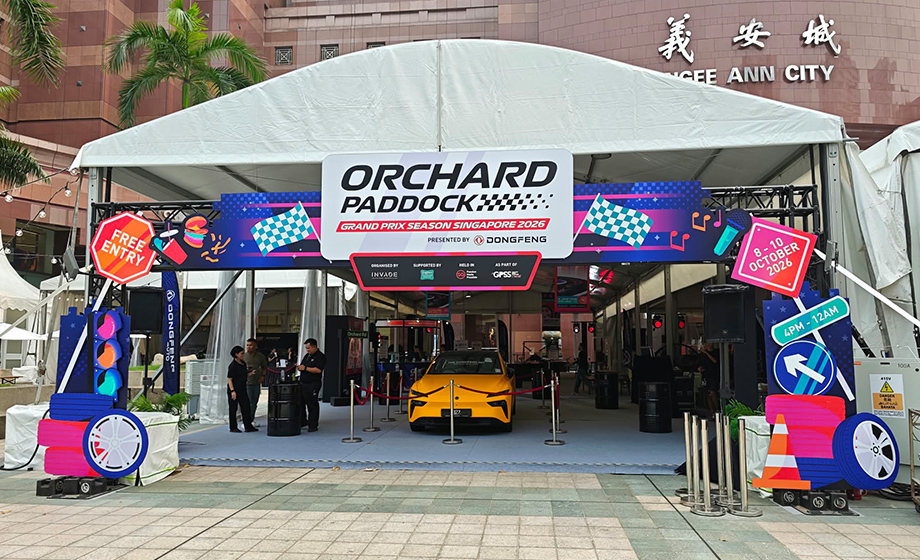
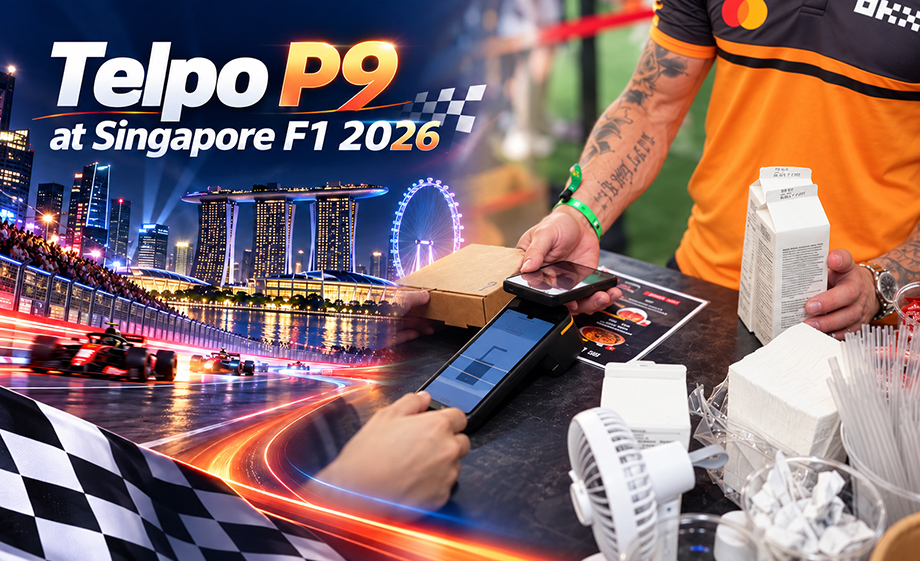
The 2026 Singapore Grand Prix deployment illustrates the application. Telpo P9 supported mobile ordering and checkout operations for food, beverage, and retail merchants at the event. By integrating a 6.5-inch touchscreen, NFC and QR code payment capabilities, a thermal receipt printer, a removable battery, and 4G/Wi-Fi connectivity, the device provided a portable checkout solution for temporary sales environments. It helped merchants manage ordering, payment confirmation, and receipt printing using a single handheld terminal, reducing reliance on separate checkout equipment. The deployment is a reference for workflow design, not a guarantee that every event will achieve the same result.
Scenario-fit check: is a handheld POS terminal right for the event?
Before selecting a device, integrators should test the event against a small set of operational criteria. The table below is a planning tool, not a certification checklist. It helps separate events where a handheld terminal is a natural fit from events where a countertop POS, self-service kiosk, or fixed cash register remains more appropriate.
| Check area | Question for the integrator | Why it matters | Planning note for a P9-style handheld |
|---|---|---|---|
| Transaction profile | How many transactions per hour at peak, and how many items per order? | Long orders and high volumes affect screen time, printing time, and queue design. | Use the 6.5-inch touchscreen for short order flows; test the actual menu depth before the event. |
| Payment mix | Which methods must be accepted: NFC contactless, QR code, or both? | The payment mix determines staff prompts and customer guidance. | The P9 deployment covered NFC and QR code payment capabilities; confirm the exact payment application and variant with the integrator. |
| Receipt requirement | Is a printed receipt mandatory, optional, or replaceable by a digital receipt? | Printing affects speed, paper logistics, and battery use. | The device has a built-in thermal receipt printer; plan paper supply and receipt length before peak periods. |
| Power environment | Can devices be charged between shifts, or must they run all day? | Battery planning affects spare-device count and staff routine. | The removable 3500mAh battery is specified for 12-16 hours, with an optional 5000mAh battery specified for 17-23 hours. |
| Connectivity | Is 4G or Wi-Fi available at each sales point, and is coverage stable during crowd peaks? | Network congestion can slow payment confirmation and transaction sync. | The P9 supports 4G and Wi-Fi; conduct an on-site coverage test and agree a fallback process with the payment provider. |
| Staff workflow | Will one person order and take payment, or are roles split? | Device count and handoff steps depend on the service model. | A single handheld can consolidate ordering, payment confirmation, and printing where the application supports it. |
| Environment | Is the stand exposed to direct sun, rain, dust, or high humidity? | Environmental conditions affect handling, paper storage, and device care. | Use a sheltered operating position and keep spare paper sealed; the guide does not claim a specific ingress rating for this deployment. |
| Support model | Who replaces paper, swaps batteries, and handles a failed transaction? | Clear ownership reduces downtime during peak demand. | Assign a floor lead and keep a spare device and spare battery within reach. |
The Telpo P9 configuration used in this application
The P9 is a handheld Android POS terminal designed for mobile checkout. For this application guide, the relevant configuration points are the ones that affect event operations: screen size, payment methods, printing, connectivity, and power. The table below summarizes the specification points referenced for this deployment and explains what they mean for an event workflow.
| Configuration point | Specification referenced | Operational meaning for event checkout |
|---|---|---|
| Display | 6.5-inch touchscreen | Supports order selection, payment prompts, and confirmation on a handheld screen. Integrators should test menu depth and button size for fast service. |
| Payment methods | NFC and QR code payment capabilities | Allows staff to accept contactless and QR-based payments without switching to a separate terminal, where the payment application supports the method. |
| Receipt printing | Built-in 58mm thermal printer at 80mm/s | Prints a receipt at the point of sale. Actual throughput depends on receipt length, graphics, and application behavior; 80mm/s is a rated speed, not a guaranteed transactions-per-hour figure. |
| Connectivity | 4G and Wi-Fi | Supports transaction sync and payment confirmation where coverage is available. Venue congestion and network design still affect performance. |
| Standard battery | Removable 3500mAh battery specified for 12-16 hours | Can cover a typical event shift under the stated specification. Printing intensity, screen brightness, and network conditions affect actual runtime. |
| Optional battery | Optional 5000mAh battery specified for 17-23 hours | Provides a longer specified runtime for extended shifts or events with limited charging access. The battery remains removable for swap-based operations. |
Two configuration questions deserve early attention. First, integrators should confirm whether the deployment uses the financial or non-financial P9 variant and which payment certifications apply to the chosen configuration. Second, if the event operates in a jurisdiction with fiscal receipt requirements, the integrator should verify the applicable fiscal POS requirements separately. The Singapore Grand Prix deployment described here should not be presented as a fiscal POS configuration without that confirmation.
Workflow design: from order capture to receipt
A handheld POS terminal only improves event checkout when the workflow around it is designed for peak conditions. The following sequence is a practical structure for solution integrators and event merchants. It assumes the event application supports order capture and payment on the same device; if it does not, the handoffs must be mapped explicitly.
Before the event
- Map the transaction flow. List each step from customer request to receipt: item selection, modifiers, total confirmation, payment method selection, payment approval, receipt print, and transaction sync. Remove steps that do not add value for the customer or the merchant.
- Define the payment mix. Confirm which NFC and QR payment methods the event will accept. Test each method with the actual payment application and the actual terminal configuration.
- Design the receipt. Decide which fields must appear: event name, stand identifier, order number, items, total, payment method, date and time, and any required local information. Keep the receipt short enough to print quickly during peak periods.
- Test connectivity at the venue. Walk the sales area with the device and the payment application. Identify dead spots, crowded gate areas, and locations where Wi-Fi or 4G performance changes. Agree a fallback procedure with the payment provider.
- Plan power and spares. Match the battery specification to shift length. For long shifts, plan battery swaps or the optional higher-capacity battery. Keep at least one spare device and one spare battery per cluster of sales points.
- Train for the peak, not only for the menu. Staff should practice a full transaction, a reprint, a declined payment, a paper change, and a battery swap. These are the moments that create queues.
At the sales point
Set up each stand so the device has a stable operating position, the printer has clearance for paper exit, and the staff member can see the customer and the screen without twisting. Keep spare paper and a spare battery in a dry container. If the stand uses a queue line, mark the point where the customer should stand for QR code scanning or NFC tapping. A simple visual cue reduces repeated instructions from staff.
During the transaction
The operator captures the order on the 6.5-inch touchscreen, confirms the total, and selects the payment method. For NFC, the customer taps the card or phone near the terminal. For QR code payment, the customer scans the code displayed by the payment application. Once payment is approved, the device prints the receipt through the built-in 58mm thermal printer. The transaction is then synced over 4G or Wi-Fi where the application and network support it. The value of the handheld format is that these steps can happen in one place, without the operator walking to a separate printer or payment terminal.
During peak demand
Peak management is mostly queue management. Split customers by payment method if one method is slower. Keep one staff member focused on order capture and another on payment confirmation if the stand layout allows it. Change paper during a lull, not when the queue is longest. If a device fails, swap it immediately and move the failed unit to the floor lead for diagnosis. The removable battery design supports a quick swap rather than a long charging pause, but only if spare batteries are prepared and charged.
After the event
Reconcile transactions against the payment provider's records, export the sales summary required by the merchant, and check that all devices have synced. Clean the devices according to the supplier's instructions, charge the batteries, and inspect the printer area for paper dust or debris. Record any repeated failure, such as paper jams at a particular stand or connectivity drops in a specific zone, so the next event design can address it.
Use cases: where the one-device workflow fits
The Singapore Grand Prix deployment covered food, beverage, and retail merchants. That scope suggests several event use cases where a handheld POS terminal can be evaluated.
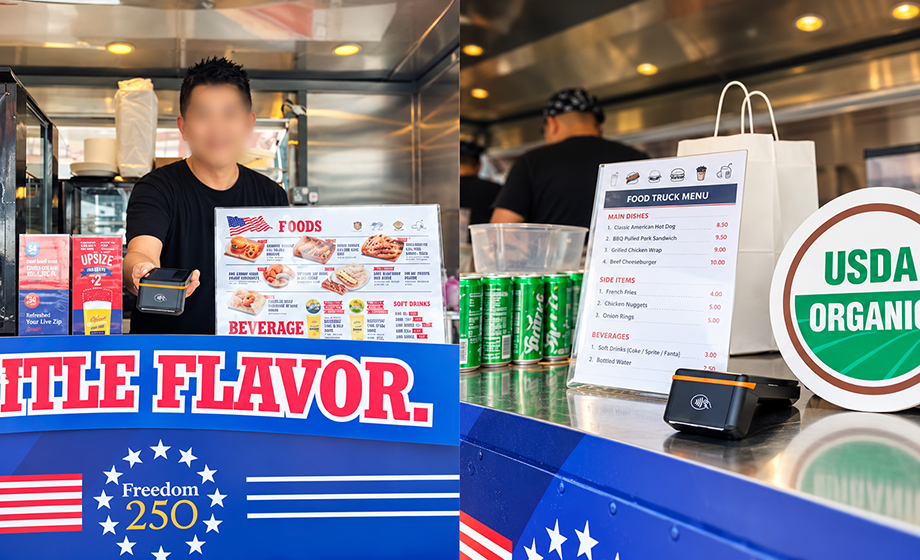
- Food stalls and food trucks. Staff can take an order at the counter or at the queue, confirm payment, and print a receipt without leaving the service point. Short menus and fast item selection suit the handheld screen.
- Beverage vendors. High transaction counts and simple product mixes make speed important. NFC and QR payment can reduce cash handling, while the built-in printer provides an immediate receipt.
- Merchandise retailers. Event merchandise often involves variant selection, such as size or color. The integrator should test whether the item list and variant flow remain usable on a 6.5-inch screen during a crowd.
- Outdoor markets and pop-up retail stores. Temporary sites may lack fixed counter space. A wireless handheld terminal can be carried between tables or placed on a small stand.
- Exhibitions and trade shows. Exhibitors may need to sell samples, take deposits, or process on-site orders. A handheld terminal can support these transactions without installing a full countertop POS.
- POS for ticketing and events. Where the event sells add-ons, upgrades, or merchandise alongside admission, a handheld terminal can serve as a mobile sales point. Ticketing validation itself is a separate function and should be assessed against the event's access-control requirements.
Comparison: separate checkout equipment versus one handheld POS terminal
The comparison below is a workflow comparison, not a claim that one configuration is universally superior. A fixed countertop POS may be the better choice for a permanent store with stable power and high counter space. A handheld terminal is more relevant when mobility and temporary setup dominate.
| Operational dimension | Separate checkout equipment | Handheld P9-style terminal |
|---|---|---|
| Devices carried or positioned | Order tablet, payment terminal, and printer may be separate. | Ordering, payment confirmation, and receipt printing can be consolidated in one handheld device where the application supports it. |
| Counter space | Requires space for multiple devices and cables. | Reduces counter footprint and cable dependence; still needs a stable operating position and paper clearance. |
| Payment methods | Depends on the payment terminal and its certification. | NFC and QR code payment capabilities are referenced for the P9 deployment; confirm the exact variant and payment application. |
| Receipt printing | External printer, separate power, and separate paper supply. | Built-in 58mm thermal printer at 80mm/s; paper supply still requires planning. |
| Power | Often mains-powered, with cable routing at the stand. | Removable 3500mAh battery specified for 12-16 hours; optional 5000mAh battery specified for 17-23 hours. |
| Connectivity | Depends on the fixed network or router at the counter. | 4G and Wi-Fi support mobile operation, subject to venue coverage and payment application requirements. |
| Staff training | Multiple interfaces and handoffs must be taught. | One interface can reduce handoffs, but staff still need training for payment exceptions, printing, and battery swaps. |
The comparison also clarifies what the handheld format is not. It is not a countertop POS with a large customer-facing display, and it is not a self-service kiosk. Those form factors solve different problems: fixed checkout, customer self-service, or high-volume lane checkout. For a temporary event stand, the handheld terminal is most useful when the operator must move, space is limited, and the transaction can be completed in one device.
On-site receipt printing considerations
Receipt printing is easy to underestimate in event planning. The printer is not only a output device; it is part of the queue. A slow or failed print can hold up a customer even after payment is approved. The P9 configuration uses a built-in 58mm thermal printer at 80mm/s. Integrators should treat that as a starting point for testing, not as a guarantee of a specific transaction rate.
Paper and printer workload
Calculate the expected number of receipts per shift and add a margin for reprints. Store spare rolls in a dry, shaded place. Outdoor heat and humidity can affect paper handling, so keep the printer area clean and avoid leaving paper exposed to direct sun or rain. Change rolls during a planned lull, and train at least two staff members per stand to change paper correctly.
Receipt content
Keep the receipt focused on what the customer and merchant need. A practical set of fields includes the event name, stand or merchant identifier, order number, item summary, total, payment method, and transaction time. If local rules require additional fiscal or tax information, confirm those fields with the integrator and the payment provider. Avoid printing sensitive payment credentials on the receipt.
Fallback and reprint
Define a reprint process before the event. If the printer jams after payment, staff should know how to reprint without creating a duplicate transaction. If the payment application supports a digital receipt, use it as a backup where the customer agrees. The goal is to keep the queue moving while preserving a clear transaction record.
Environmental and handling checks
Position the device so the printer exit is not blocked and the operator can see the paper feed. Keep the device away from spilled drinks and direct rain. If the stand is dusty, include the printer area in the end-of-shift cleaning routine. These are practical handling steps; they do not replace the supplier's care instructions or any specific environmental rating.
Connectivity and battery planning for temporary sites
The P9 supports 4G and Wi-Fi, but event connectivity is a venue condition, not a device promise. Integrators should test the actual sales points with the actual payment application. Crowded areas can affect wireless performance, and temporary structures can block signals. A fallback process is essential: staff should know what to do if a payment cannot be confirmed, and the merchant should agree the procedure with the payment provider before the event opens.
Battery planning should follow the shift pattern. The removable 3500mAh battery is specified for 12-16 hours, which may cover a standard event day under the stated conditions. The optional 5000mAh battery is specified for 17-23 hours for longer shifts. Actual runtime depends on printing volume, screen brightness, network conditions, and application behavior. For multi-day events, plan a charging routine that includes spare batteries and a labeled rotation system so depleted units are not returned to service by mistake.
Deployment checklist for integrators and event merchants
| Area | Check | Owner |
|---|---|---|
| Application | Confirm that ordering, payment confirmation, and receipt printing run on the chosen P9 variant. | Integrator |
| Payment | Test NFC and QR payments with the event's payment provider and confirm the required certification for the configuration. | Integrator and payment provider |
| Receipt | Approve receipt fields, test print speed with the actual receipt length, and set a reprint process. | Merchant and integrator |
| Connectivity | Survey 4G and Wi-Fi at each stand; document dead spots and agree a fallback procedure. | Integrator and venue IT |
| Power | Match battery specification to shift length; prepare spare batteries and a charging plan. | Merchant |
| Staff | Train for payment exceptions, paper changes, battery swaps, and queue management. | Merchant |
| Support | Assign a floor lead, spare device, and escalation contact for the event. | Merchant and integrator |
| Compliance | Check local fiscal, tax, and receipt requirements separately if applicable. | Merchant and integrator |
FAQ
What should retail stores look for in a POS terminal manufacturer?
Retail stores should look for a manufacturer whose portfolio matches the intended deployment, whose quality process is documented, and whose support model covers the store's operating hours and software ecosystem. For a retail environment, that may include Android POS terminals, countertop POS, self-service options, and payment terminal variants. Telpo Technology Co., Ltd., for example, states that it was founded in 1999, operates a CNAS-accredited laboratory, and provides ODM customization and after-sales support. The store should still verify the exact model, certifications, payment application, and warranty terms for its own market.
Can a handheld POS terminal handle ordering, payment, and receipt printing at an event?
Yes, where the application and terminal configuration support all three functions. The Telpo P9 deployment at the 2026 Singapore Grand Prix integrated mobile ordering, NFC and QR code payment, and receipt printing in one handheld device. That reduced reliance on separate checkout equipment for the merchants involved. Integrators should still test the actual menu flow, payment methods, receipt length, and network conditions before the event.
How long can the Telpo P9 run at a high-traffic event?
The removable 3500mAh battery is specified for 12-16 hours, and the optional 5000mAh battery is specified for 17-23 hours. These are specification figures, not a guarantee for every event. Runtime depends on printing volume, screen use, network conditions, and application behavior. For long shifts, plan battery swaps or the optional higher-capacity battery and keep a spare unit available.
What connectivity should event merchants plan for?
Event merchants should plan for both 4G and Wi-Fi where available, and should test coverage at each sales point with the actual payment application. Crowd density and temporary structures can affect wireless performance. The merchant and integrator should agree a fallback procedure for slow or failed payment confirmation before the event opens.
How should integrators prepare receipt printing for outdoor events?
Integrators should test the 58mm thermal printer with the actual receipt design, calculate expected receipt volume, and prepare spare paper rolls stored in a dry place. The printer is rated at 80mm/s, but actual throughput depends on receipt length and content. Staff should be trained to change paper, handle a jam, and reprint without creating duplicate transactions. For a sample, quote, or brochure, contact Telpo and review the product documentation for the selected P9 configuration.
Conclusion
High-traffic event checkout is a workflow problem before it is a hardware problem. The Telpo P9 deployment at the 2026 Singapore Grand Prix shows how a handheld Android POS terminal can consolidate ordering, payment confirmation, and receipt printing for temporary food, beverage, and retail sales. The 6.5-inch touchscreen, NFC and QR code payment capabilities, built-in 58mm thermal printer at 80mm/s, 4G and Wi-Fi connectivity, and removable battery options give integrators a concrete configuration to evaluate. The deployment does not prove that every event will achieve the same operational result. It does show which checks matter: payment mix, connectivity, battery runtime, receipt design, staff training, and a clear support plan. Integrators and event merchants that test those conditions before the gates open are better positioned to keep the queue moving when demand peaks.
Next step for integrators and event merchants: Review the event requirements against the P9 configuration, then request a sample, quote, or the product brochure from Telpo. Download the Telpo products brochure.
Deployment reference: Telpo P9 at the 2026 Singapore Grand Prix, October 9-11. Specifications are those referenced for this application guide; confirm the exact model variant, certifications, and local requirements with Telpo or an authorized integrator.
Have Questions or Need More Details?
Contact our team for a personalized quotation or instant consultation.
Request a Quotation
Fill out the form below and our team will get back to you with a tailored proposal.
WhatsApp Direct Chat
Prefer to chat in real-time? Message us on WhatsApp for instant assistance & quick answers.
- Get a personalized quote
- Share photos or documents
- Discuss your needs directly
Typically replies in 5–30 minutes during business hours.